Cable Management Solutions for TV Units
Nothing ruins the look of a sleek, modern living room faster than a tangled mess of black and grey wires hanging from the back of your television. As we add more devices to our entertainment hubs—game consoles, soundbars, streaming boxes, and routers—the "cable jungle" becomes harder to manage. Effective cable management is not just about aesthetics; it also prevents dust buildup, improves airflow around electronics, and makes it easier to swap out devices when needed.
Start with Integrated Furniture Design
The first line of defense against messy wires is choosing furniture designed with cable management in mind. Modern TV units often include pre-drilled holes in the back panels or recessed areas that allow cables to pass through hidden channels. When shopping for a new unit, look specifically for these "media-friendly" features.
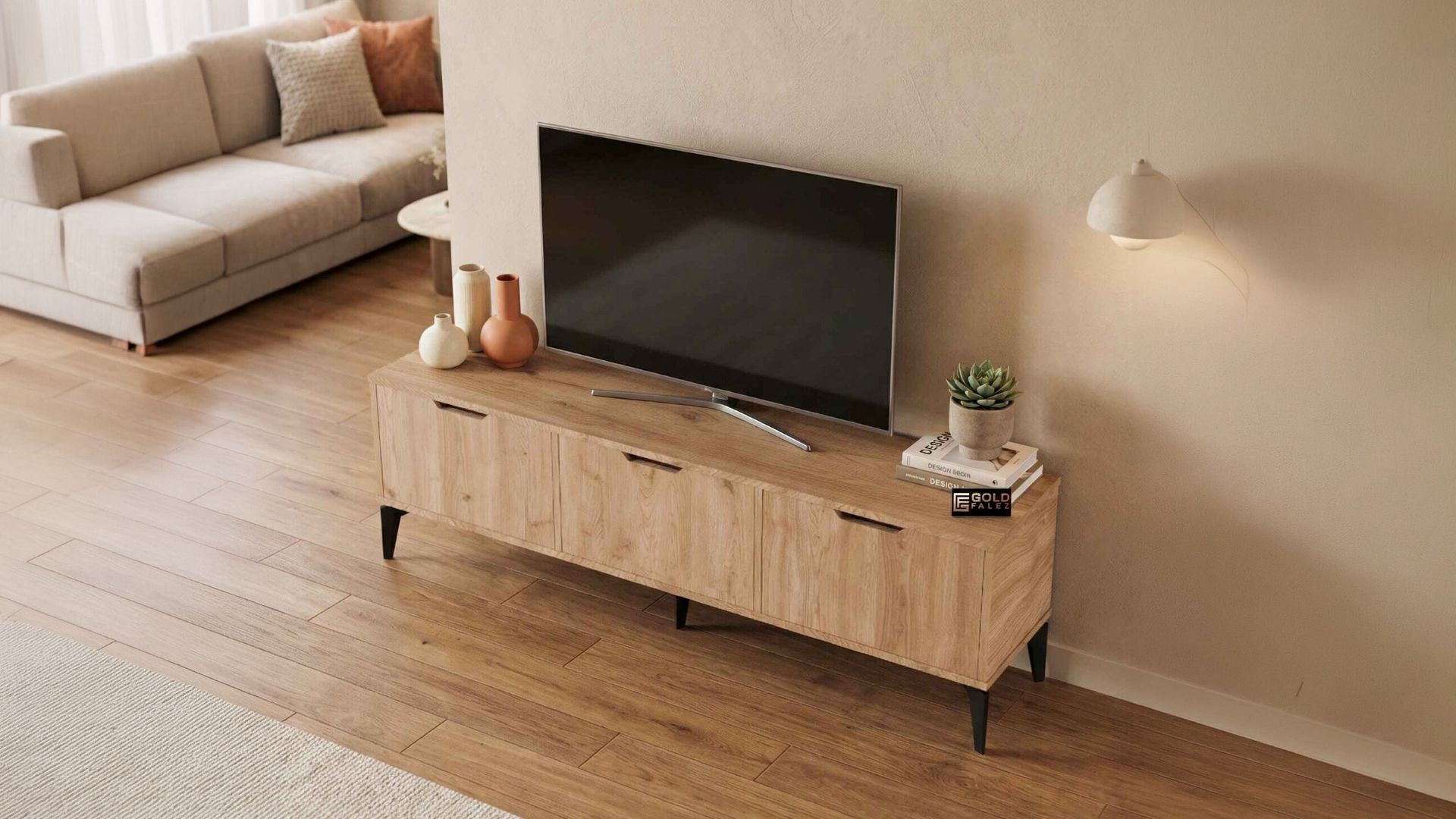
The TV Stand Shelf is a practical example of a design that accommodates modern tech. Its open shelf design allows for easy access to the back of your devices, making it simpler to route wires neatly. By grouping devices on the same shelf and using the unit's structure to hide the descent of cables toward the power outlet, you can achieve a much cleaner look with minimal effort.
Tools and Techniques for a Tidy Setup
Beyond the furniture itself, there are several inexpensive tools that can transform your cable management game. Velcro ties are a favorite among professional home theater installers because they are reusable and don't damage the cables like plastic zip ties can. Use them to bundle cables together by function—keep all power cables in one bundle and all HDMI/data cables in another.
If your TV is sitting on a unit like the Mira TV Stand, you can use the flat surface behind the TV to place a "cable management box." These boxes house power strips and excess wire lengths, keeping them out of sight. Since the Mira model has a generous 160cm width, there is plenty of room behind the screen to hide these organizers without them being visible from the front or sides.
Hiding Cables with Floating and Minimalist Units
For those who prefer a more minimalist aesthetic, hiding cables requires a bit more planning. If you are using a sleek unit like the Vera TV Stand, the goal is to make the technology disappear as much as possible. If the unit is against a wall, consider using adhesive cable clips along the back edges of the furniture legs or frame to guide wires down to the floor in a straight line.
Another trick is to use "cable sleeves"—flexible tubes that can hold multiple wires and come in colors that match your wall or furniture. This turns a dozen messy wires into one clean-looking cord. Goldfalez designs emphasize clean lines, and by taking these extra steps, you ensure that the high-quality Suntalam finish of your furniture remains the center of attention, not the wiring behind it.
Frequently Asked Questions
Why is cable management important for electronics?
Properly managed cables allow for better airflow, which prevents your gaming consoles and media players from overheating. It also makes cleaning easier, as dust is less likely to accumulate in organized bundles than in a "bird's nest" of wires.
Can I drill my own cable holes in a TV unit?
While it's possible, it is always better to buy a unit with pre-made holes to ensure structural integrity is maintained. If you must drill, use a hole saw bit for a clean finish and avoid drilling near the load-bearing joints of the unit.
How do I hide cables for a wall-mounted TV above a stand?
You can use plastic cable raceways that stick to the wall and can be painted to match your wall color. Alternatively, for a truly professional look, an electrician can install a "behind-the-wall" kit that routes the cables through the wall cavity.
Conclusion
Cable management is the finishing touch that elevates a good living room setup to a great one. By choosing smart furniture like the TV Stand Shelf and utilizing simple organization tools, you can create an entertainment area that looks as good as it performs. Remember that the goal is to let your furniture and your media shine, free from the distraction of tangled wires. Goldfalez is committed to providing the functional foundations you need for a modern, organized home.
Frequently Asked Questions
Why is cable management important for electronics?
Properly managed cables allow for better airflow, which prevents your gaming consoles and media players from overheating. It also makes cleaning easier, as dust is less likely to accumulate in organized bundles than in a "bird's nest" of wires.
Can I drill my own cable holes in a TV unit?
While it's possible, it is always better to buy a unit with pre-made holes to ensure structural integrity is maintained. If you must drill, use a hole saw bit for a clean finish and avoid drilling near the load-bearing joints of the unit.
How do I hide cables for a wall-mounted TV above a stand?
You can use plastic cable raceways that stick to the wall and can be painted to match your wall color. Alternatively, for a truly professional look, an electrician can install a "behind-the-wall" kit that routes the cables through the wall cavity.